

Deposit Slip Upload Guide
Follow these 7 simple steps to upload your payment proof
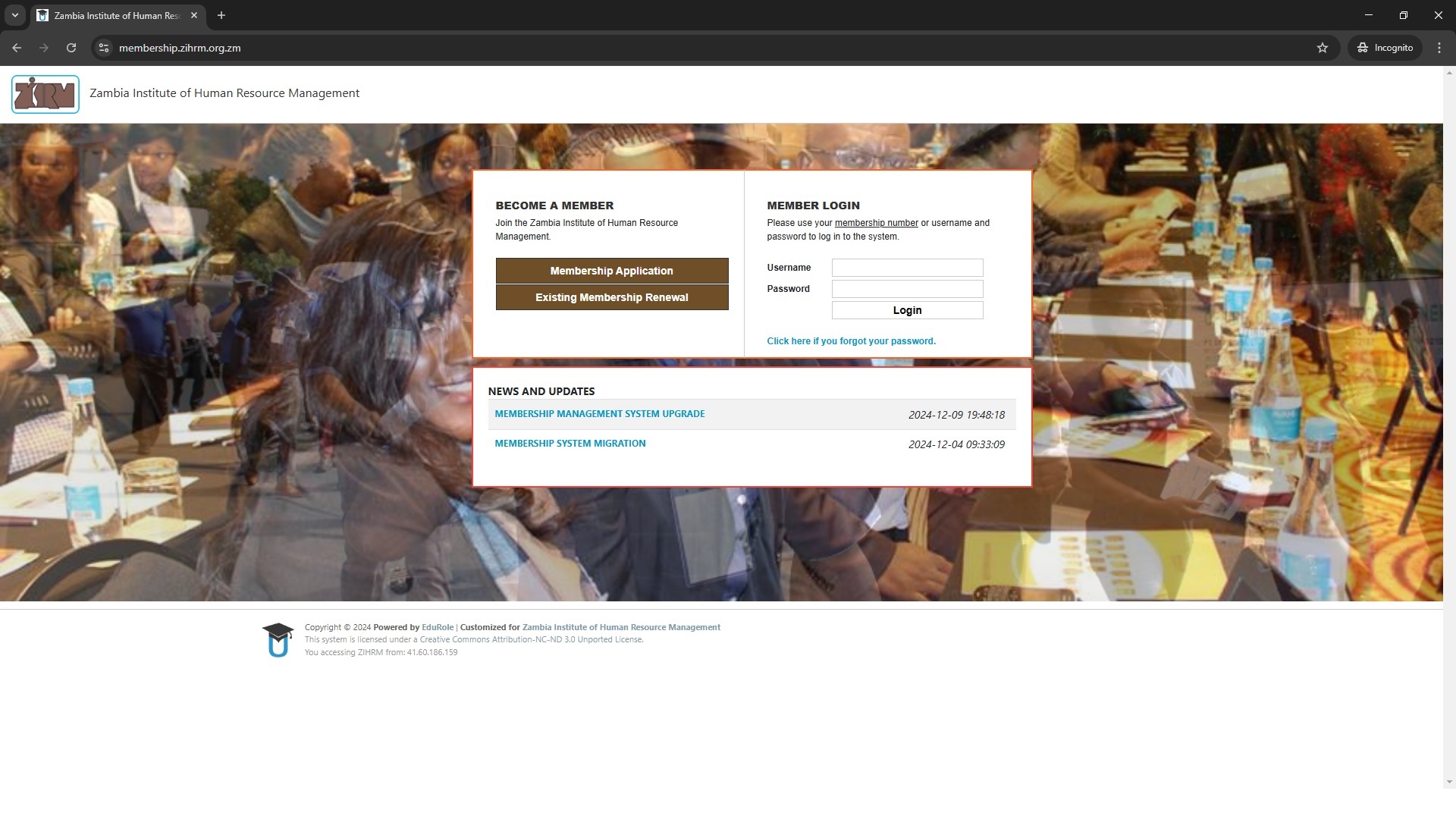
Access ZIHRM PortalLog In to Your Account
Go to https://membership.zihrm.org.zm/
Enter your membership number/username and password, then click Login
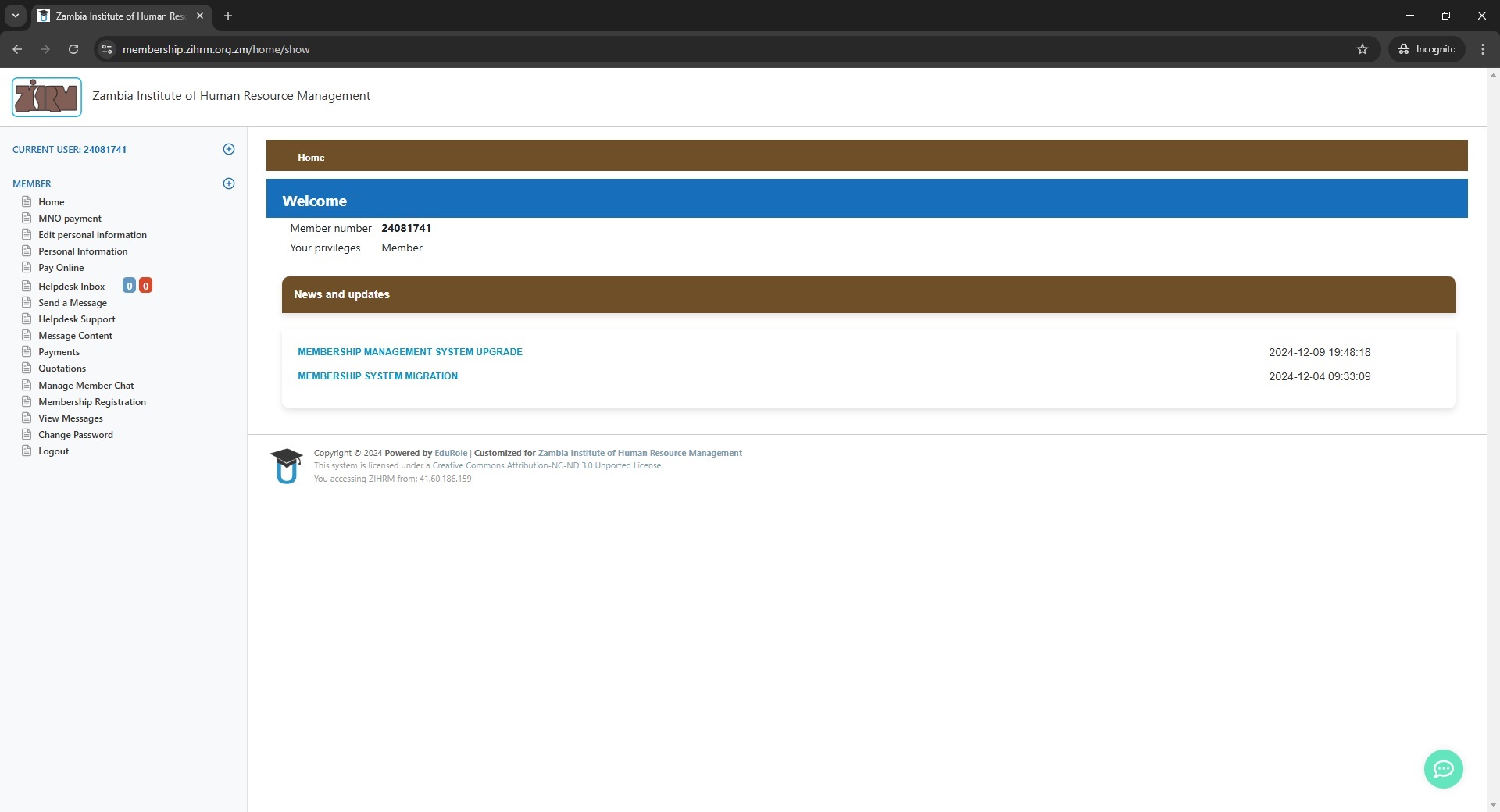
Access Personal Information
From your dashboard, click on "Personal Information" in the main menu
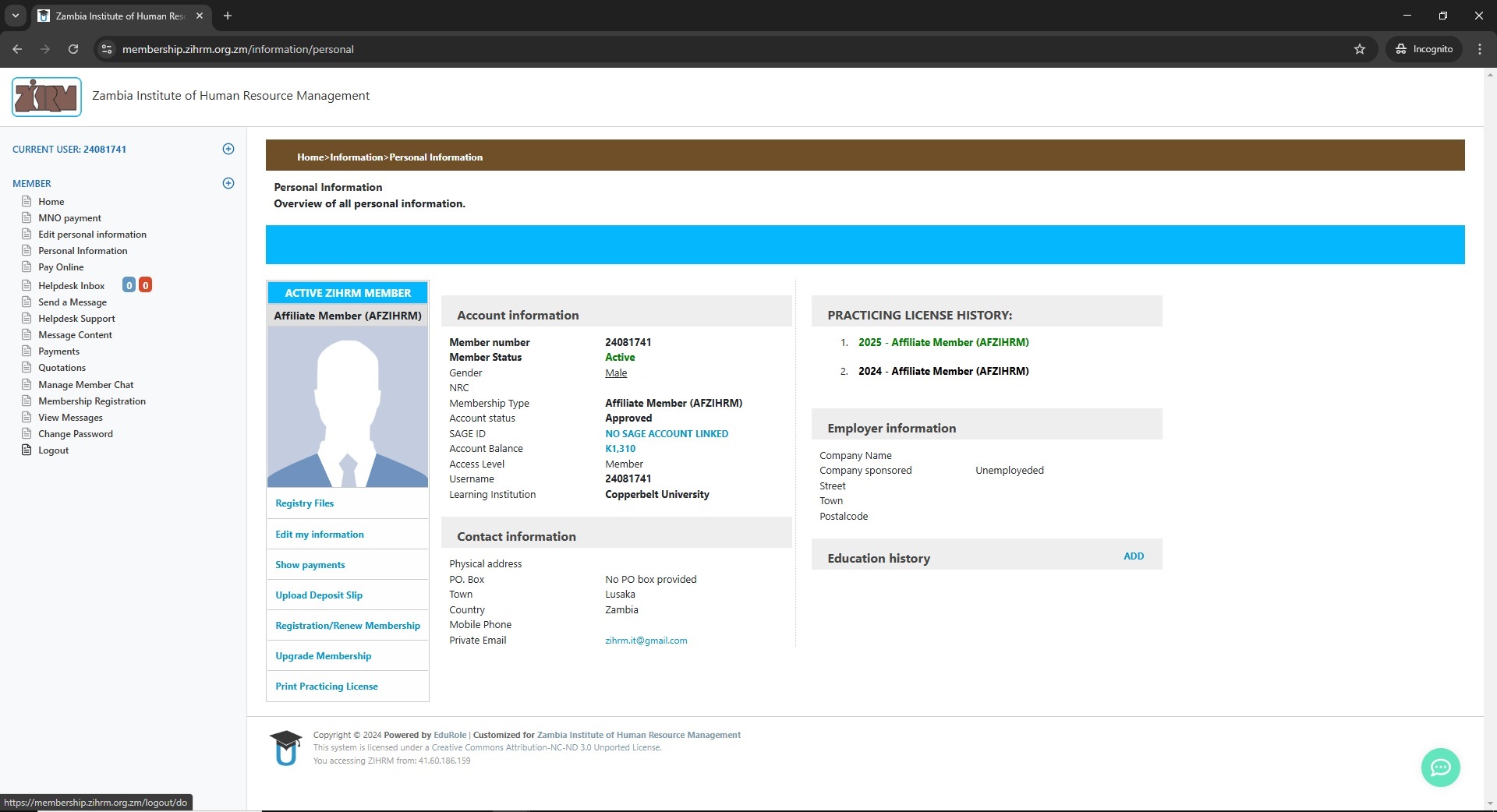
Find Upload Section
Scroll down to the "Upload Deposit Slip" section on your personal information page
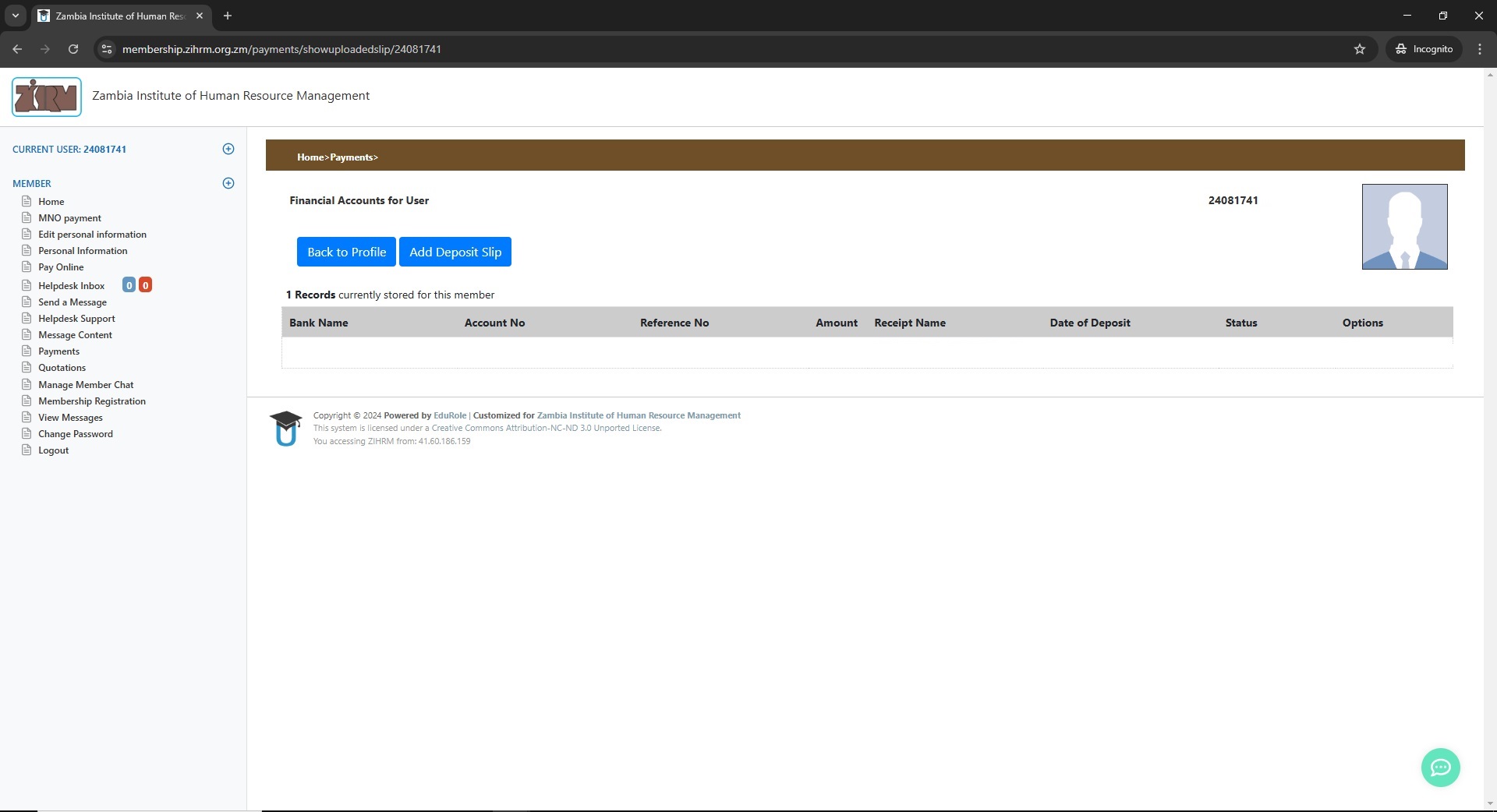
Open Upload Form
Click the "Add Deposit Slip" button to open the upload form
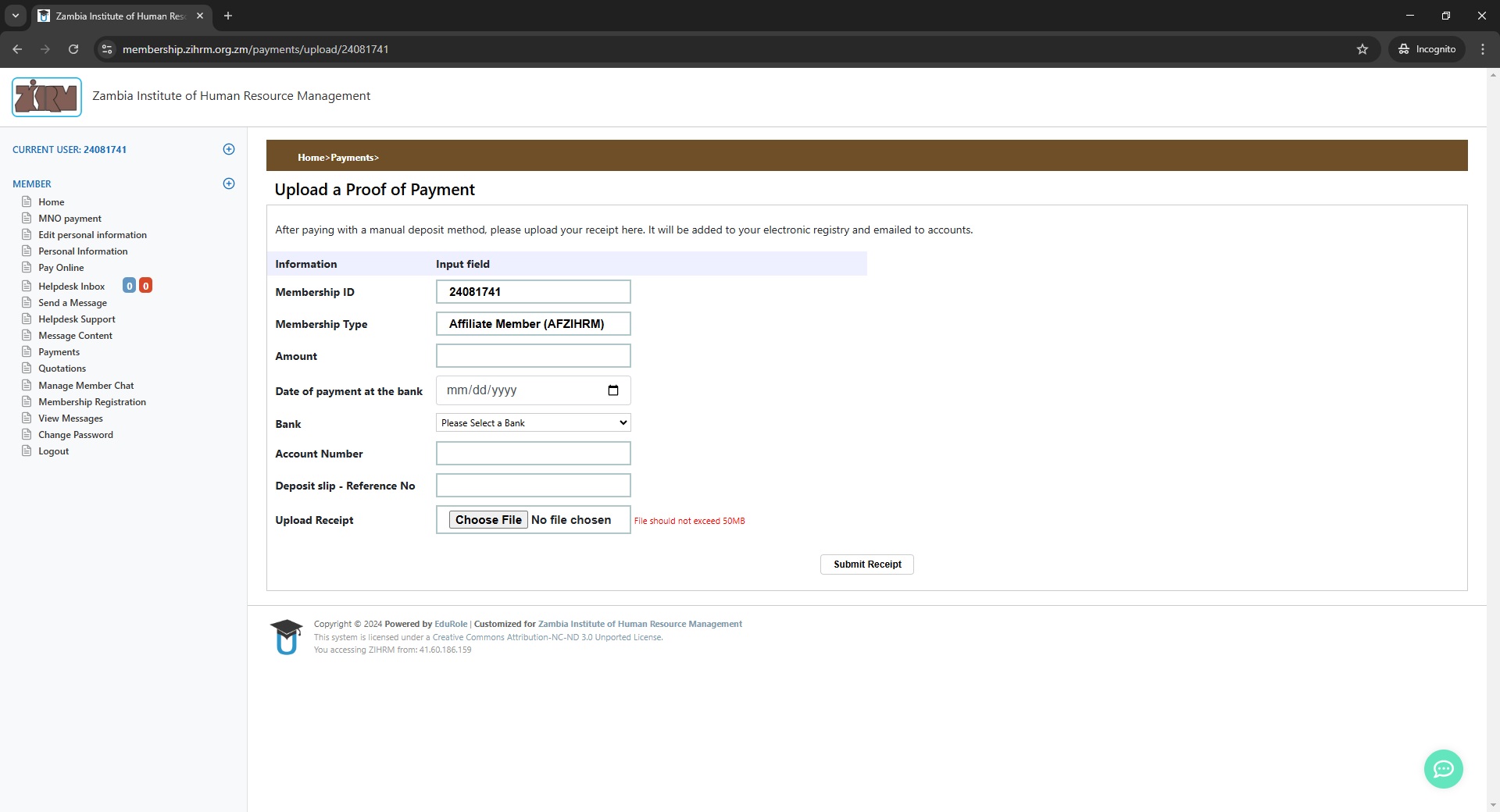
Fill Payment Details
Complete all required fields in the form:
| Field | Example |
|---|---|
| Membership ID | 24081741 (auto-filled) |
| Membership Type | Affiliate Member (AFZIHRM) |
| Amount | K1,310 |
| Date of Payment | 02/03/2025 (mm/dd/yyyy) |
| Bank Name | Lambert National Commercial Bank – ZANACO |
| Account Number | 1087360300101 |
| Reference No | 4QDT224M01 |
Upload PDF Proof
Click "Choose File" and select your deposit slip PDF
JPG/PNG files will be rejected. Document must be clear and legible.
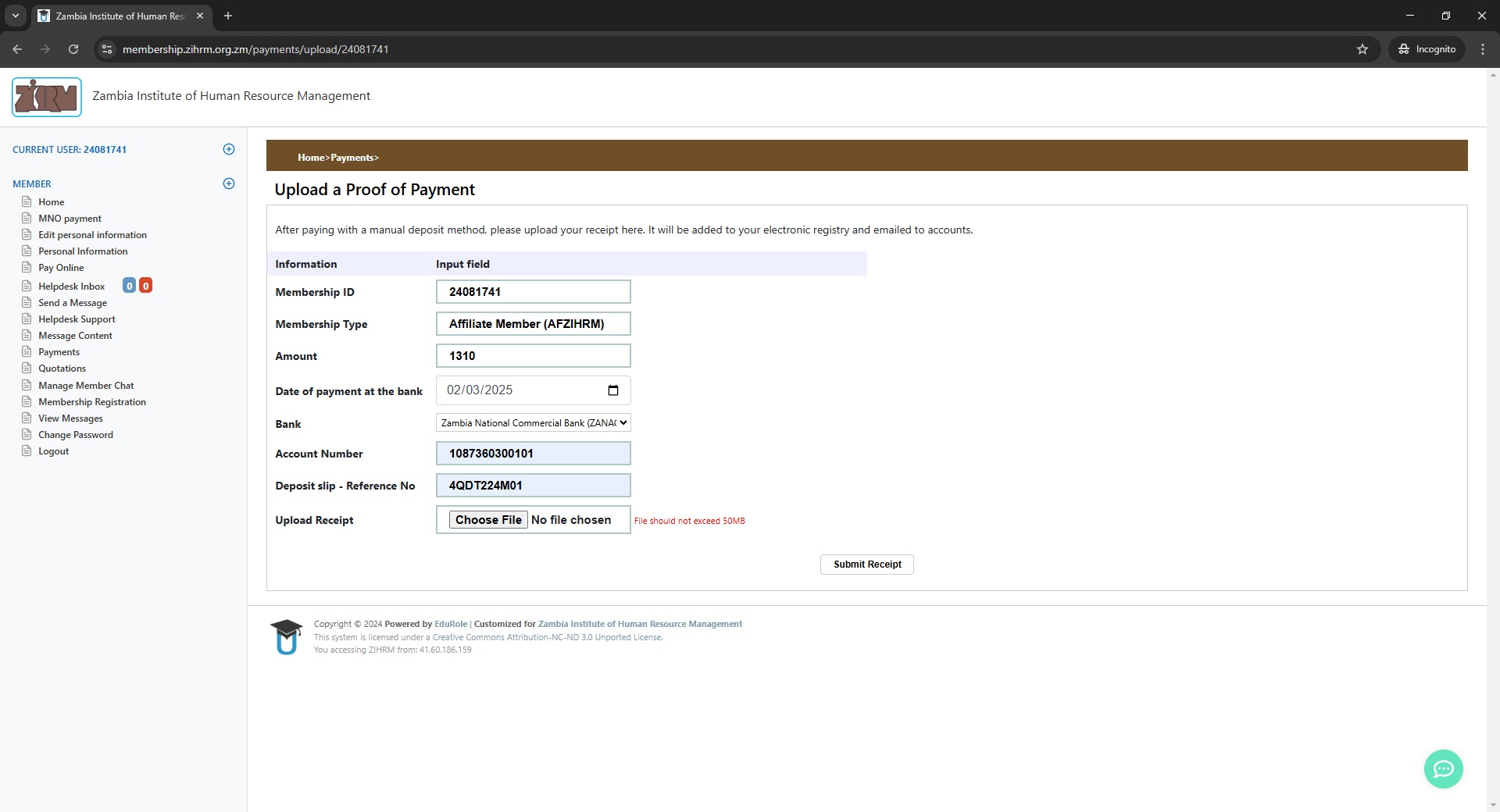
Submit & Confirm
Click "Submit Receipt" to complete the upload
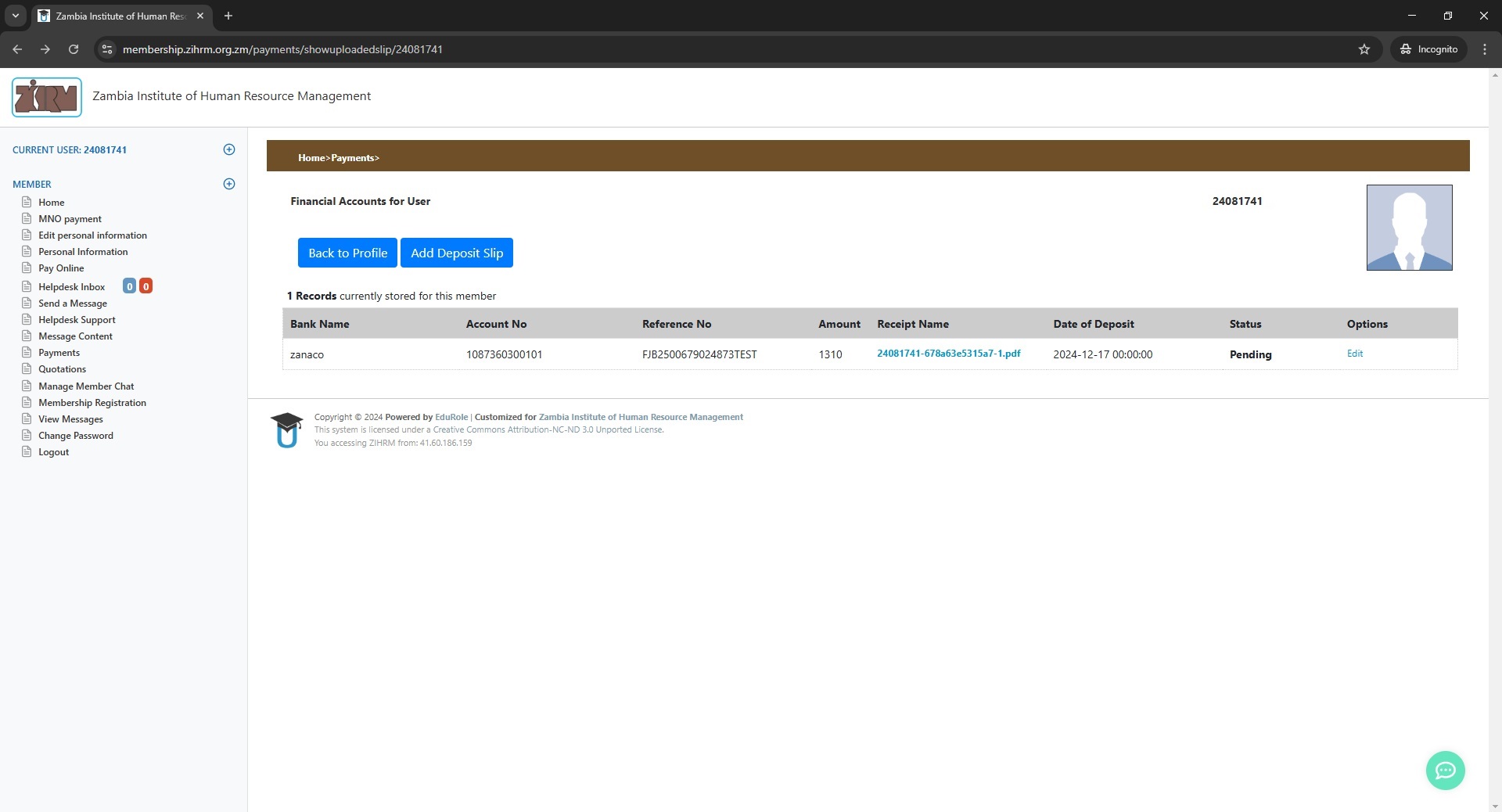
Your slip will appear under "Records currently stored" with status: Pending
Status changes to Approved after admin review (1-3 business days)
💡 Quick Tips
❓ Need Help?
Contact ZIHRM Support:
- Email: This email address is being protected from spambots. You need JavaScript enabled to view it.
- Use Helpdesk feature in portal
- Call ZIHRM office during business hours
Zambia Institute of Human Resource Management (ZIHRM)
© 2026 ZIHRM. All rights reserved.
This guide is for informational purposes only. ZIHRM reserves the right to modify portal procedures without prior notice.